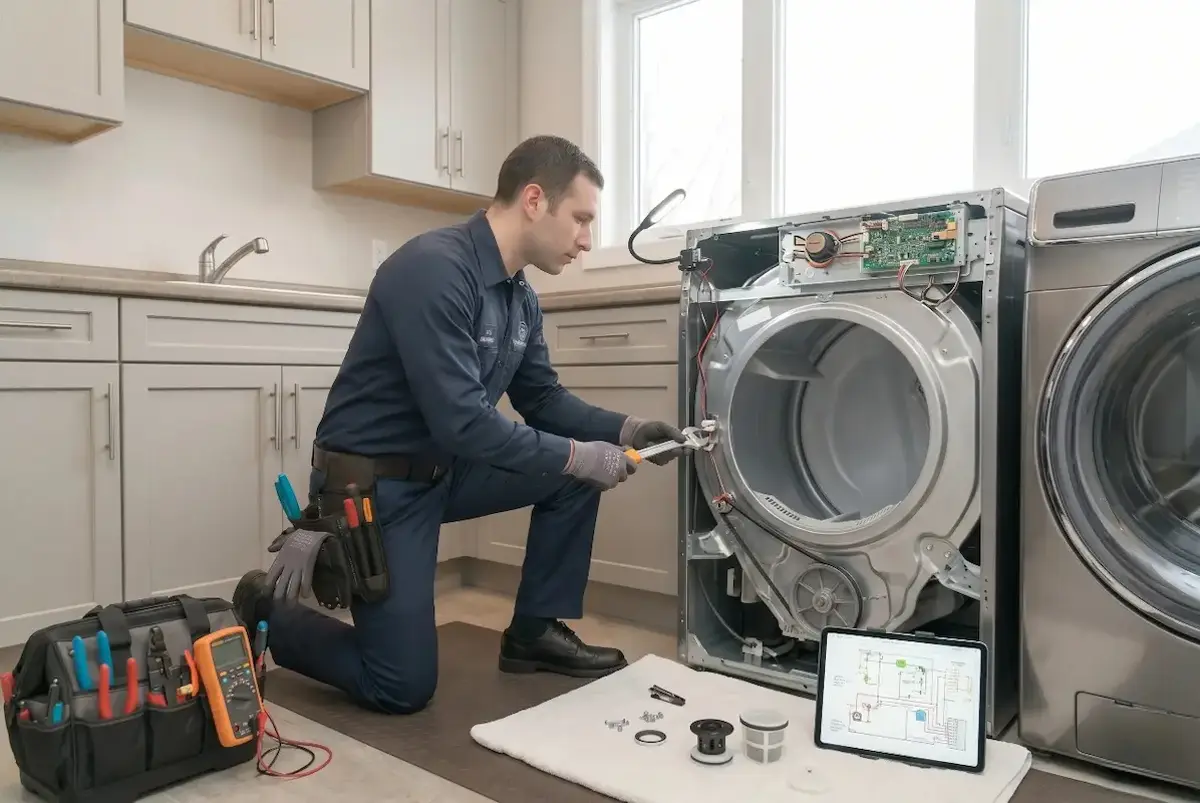
Why won't my dryer start or turn on?
Most common cause on a Samsung dryer in Toronto: open thermal fuse cutting all power to the controls (usually a clogged vent overheated it). A typical repair runs $329–$469 all-in, including the $149.95 diagnostic, credited 100% toward your repair. No drum motion means no fire risk while it sits, but a blown thermal fuse usually points to a clogged vent, and a burnt cord or outlet is a hazard — book promptly.
Prices in CAD for Toronto; typical ranges — your exact quote is confirmed on-site before any work. Updated .
Most Samsung dryer faults in Toronto come down to a handful of parts — and the majority are worth repairing rather than replacing an appliance that typically lasts 10–13 years. Anthony is a Red Seal certified technician who carries the common dryer parts on the van, so most jobs in Toronto are diagnosed and fixed in a single visit.
How your repair works
Four simple steps, no surprises.
Book
Call or request a callback. Same-day & next-day appointments available.
Diagnose
A flat $149.95 diagnostic pinpoints the real fault.
Approve
You get an upfront all-in quote first — diagnostic credited 100% toward your repair.
Repaired
Fixed with OEM parts, backed by a 90-day warranty.
Samsung dryer won't start / no power in Toronto — what we check
- Door switch not closing the start circuit (DC64-00828A) is the single most common Samsung won't-start that isn't a board: the console lights and beeps but the drum never energizes because the door circuit is open. RepairClinic documents this exact part as the fix for a Samsung that won't start (and for one that runs with the door open), and it fits the high-volume DV42H through DV50K families. We listen for the latch 'click' and meter the switch terminal-to-terminal for continuity before pulling the cabinet, since it's the cheapest cause to rule out -- and we inspect the door strike/latch alignment in the same pass, because a worn strike that won't let the latch seat fakes the same dead-start on a perfectly good DC64-00828A switch. (Samsung has since superseded DC64-00828A to DC64-00828B; the A number remains a valid OEM catalog number and the two interchange.)
- A blown one-shot thermal fuse on the blower housing (DC47-00016A) stops a Samsung DEAD, not just no-heat: RepairClinic and Samsung's own troubleshooting both note that when this non-resettable fuse opens, many Samsung models won't start at all because the fuse sits in the start/power path, so the motor won't even attempt to turn. The fuse can never be reset -- it must be replaced -- and it is never the root cause: a blown DC47-00016A is the machine reporting that exhaust temperature spiked, so we meter it for continuity cold (good reads ~0 ohms) and then clear the restricted vent / lint chamber that cooked it, or the new fuse opens again on the next load. (This is the same DC47-00016A on our not-heating stack; on the won't-start variant it kills the whole circuit, not just the heater.)
- A drive motor that HUMS or buzzes on Start but won't turn the drum is the won't-start that actually points at the motor: DC31-00055G (OEM-interchangeable DC31-00055H / DC31-00055D, AP5331095). RepairClinic and AppliancePartsPros document the failure as a bad run winding or a faulty centrifugal start switch -- the motor draws too many amps, heats, and its internal overload shuts it off; because the centrifugal switch isn't sold separately, the whole motor is replaced. The bench check is winding resistance (roughly 2.88 ohms across terminals 3-4 and 3.5 ohms across 4-5, neither open) plus confirming voltage from the control relay to the motor. Before condemning it we rule out a bound drum roller (DC97-16782A) and a seized idler (DC93-00634A) first, because a dragging drive train fakes a dead motor on this platform far more often than the windings actually fail -- a hum with the belt pulled and the drum turning free by hand is what actually condemns the DC31-00055G.
- A snapped or jumped drive belt (6602-001655) can present as a won't-start, not just a free-wheeling drum: when the belt lets go, the motor may stall or the dryer simply won't begin the cycle. RepairClinic lists this exact belt for a Samsung whose symptoms include won't-start / won't-turn in addition to no-spin. We open the top and hand-spin the drum -- free with zero resistance points at a snapped or thrown belt -- and because Samsung routes the belt over both the motor pulley and the spring-loaded idler, a belt that 'jumped the track' looks identical to one that broke. We renew the belt and inspect the idler (DC93-00634A, spring DC61-01215B) together so the new 6602-001655 doesn't walk off again, since a tired idler is usually what let the belt go in the first place.
- When the buttons respond, the door/belt/fuse all test good, and house power is confirmed, the won't-start is the main control board: DC92-01626A (replaces AP5916812 / 3996785 / PS9605983). AppliancePartsPros documents the exact scenario -- a Samsung that worked intermittently like a bad on/off switch then quit entirely, with the thermal fuse and door switch already verified good. The load-bearing test is checking for voltage from the board to the motor when Start is pressed: present-but-no-spin points at the motor, absent points at the board. We match the board to the data plate by serial, because Samsung ships visually similar boards with different software -- the DV45H7000EW/A2 family uses DC92-01626B and substituting a DC92-01626A there can make the dryer fail to stop automatically -- so we verify the variant against the model, not the photo.
- FE on the display is a frequency error, not a mechanical fault: per Samsung's and Sears PartsDirect's code references, FE means the control is seeing an invalid power-source frequency (unstable or improper incoming 240V supply, or the control misreading it), so the dryer refuses to start. The documented path is to confirm the outlet, breaker, and that the home is actually delivering 60Hz first; if the supply is verified clean and FE persists, Samsung's own guidance is to replace the electronic control board (DC92-01626A). We meter both legs at the outlet and check the breaker before quoting any part, because no door switch, fuse, belt, or motor will fix a supply-frequency fault.
- The most over-reported Samsung 'dead dryer' isn't a parts call at all -- it's Child Lock or a post-outage lockout. Samsung's troubleshooting confirms that with Child Lock active the panel is disabled and the cycle won't launch; on DV42 the fix is holding Dry Level + Time together for 3-5 seconds until the lock icon clears, NOT a repair. A surge- or outage-locked control reads as dead but recovers on a power cycle (unplug 60 seconds, or reset at the breaker). We rule both out by phone or in the first 60 seconds -- confirm the cycle actually starts (Time Dry, hold Start, timer counts down) -- so we never sell a door switch, fuse, or board on a dryer that was only locked out at the panel.
Samsung won't start / no power in Toronto — the local specifics
- The recurring Toronto pattern on a 'dead' Samsung dryer is that two cheap, non-board causes account for most calls: a door switch that lights the console but won't close the start circuit, and a blown blower-housing thermal fuse that's really a clogged-vent symptom. The hum-but-won't-spin subset that points at the DC31-00055G motor is far rarer than callers fear, and a meaningful share of 'it just stopped working' Samsung calls in the GTA un-book over the phone as Child Lock or a post-outage panel lockout -- so we triage the panel and the vent before quoting any teardown part.
- We roll to Samsung won't-start calls with the door switch (DC64-00828A), blower thermal fuse (DC47-00016A), and drive belt (6602-001655) on the van, plus a meter to confirm voltage-to-motor and door/fuse continuity on the spot. The DC31-00055G drive motor and the DC92-01626A control board we serial-match and bring in after the on-site diagnosis, so we never parts-cannon a board onto a dryer that was only locked out or starved of airflow.
For the full Samsung dryer module — every fault, part number and code — see Samsung dryer repair in Toronto, and for the same fault across all brands the dryer won't start / no power guide.
Ready to get it fixed?
Call now — (647) 490-7878 90-day warranty · flat $149.95 diagnostic credited 100% toward your repairWhy homeowners across Toronto call us
Every repair is led by Anthony, a Red Seal interprovincial journeyman who is 313A Licensed, TSSA Certified, ODP Certified, with his team working under his direct leadership — backed by $2,000,000+ general liability insurance and a 90-day workmanship warranty on every job.
Red Seal-led team
Every job is overseen by Anthony, a certified journeyman, and handled by his own trusted team.
Licensed & gas-certified
313A refrigeration licence and TSSA gas certification for safe, code-correct repairs.
$2,000,000+ insured
Fully insured for general liability, so your home is protected during the repair.
90-day warranty
Parts and workmanship are warrantied — if it's not right, we come back.
OEM parts on the van
Common parts are stocked, so most jobs are completed on the first visit.
Upfront pricing
A flat $149.95 diagnostic, credited 100% toward your repair, and a quote before any work.
What our credentials mean for you
- Red Seal Certified
- The interprovincial standard for skilled trades — a journeyman who passed the national appliance-service exam.
- 313A Licensed
- Ontario's refrigeration & air-conditioning systems mechanic licence — legally required to work on sealed cooling systems.
- TSSA Certified
- Technical Standards & Safety Authority gas certification — qualified to work safely on gas appliances.
- ODP Certified
- Ozone Depletion Prevention certification — licensed to handle refrigerants responsibly and to code.
More appliance repair in Toronto
Brands we service
Other appliances
Nearby cities
Frequently asked questions
How fast can you repair my Dryer in Toronto?
Do you charge for the diagnostic?
How soon can you come out?
Are you licensed and insured?
Do you use genuine parts?
Do you service Samsung dryers?
Need your Samsung dryer fixed in Toronto?
Same-day & next-day appointments available. Flat $149.95 diagnostic, credited 100% toward your repair, and a 90-day warranty on every repair.
Call (647) 490-7878